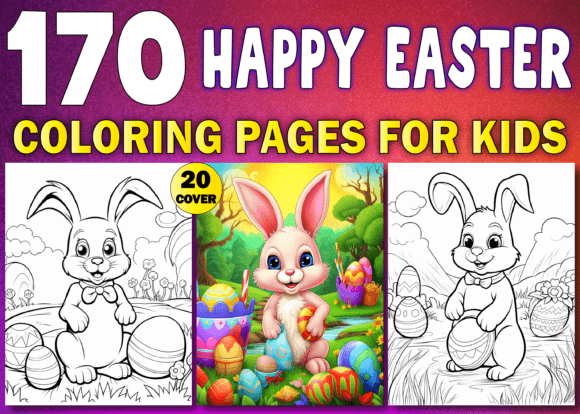
250 Easter Bunny Coloring Pages for Kids
If you're creating Easter-themed activity books, classroom resources, or print-on-demand coloring collections, 250 Easter Bunny Coloring Pages for Kids is more than just a bundle—it’s a production-ready asset designed for real-world use. But not all coloring page packs deliver what they promise. Many creators assume “250 pages” means variety, consistency, and technical readiness—only to discover mid-project that files are low-res, misaligned, or missing critical formats. That’s where this particular volume stands out—and where careful evaluation makes all the difference.
What This Bundle Actually Delivers (and Why It Matters)
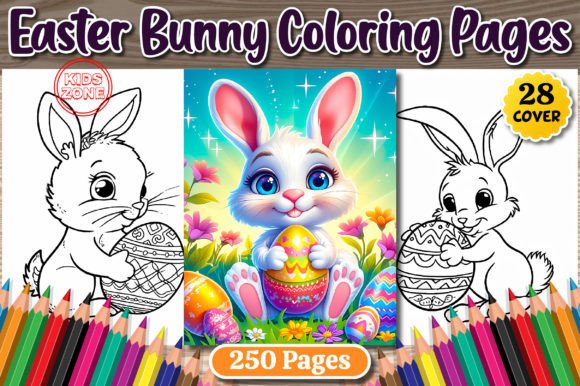
This isn’t a generic collage of clipart-style bunnies. 250 Easter Bunny Coloring Pages for Kids Vol. 03 includes four organized folders: one each for JPG, PNG, PDF, and bonus cover assets. Every file is rendered at 300 DPI and sized precisely to 8.5″ × 11″—the industry standard for US letter-size printing and KDP uploads. The inclusion of both JPG and PNG ensures flexibility: JPGs for fast previews and lightweight PDF assembly; PNGs with transparent backgrounds for layered design work or custom backgrounds. The PDF folder isn’t just a flattened collection—it’s a ready-to-upload, single-page-per-sheet document optimized for KDP’s formatting requirements.
The bonus set of 28 free PNG coloring images for book covers is especially valuable. Too many creators waste hours resizing or tracing outlines from low-quality sources—only to find their cover looks pixelated on Amazon thumbnails or fails KDP’s resolution check. These cover-ready files eliminate that risk.
Common Missteps—and How to Avoid Them
Even experienced creators sometimes overlook details that impact usability, cost, or time down the line. Here’s what trips people up—and how to sidestep it:
- Mistake: Assuming “250 pages” equals visual diversity. Some bundles repeat the same outline with minor tweaks—bunny + egg, bunny + basket, bunny + flower—without meaningful variation in pose, expression, or complexity. That leads to dull books and lower customer retention. Better approach: Scan a sample set before purchase. Look for range: sitting vs. hopping bunnies, simple outlines for ages 3–5 vs. detailed scenes for ages 6–10, and thematic variety (e.g., bunnies gardening, baking, delivering eggs).
- Mistake: Downloading without verifying DPI and bleed margins. A file labeled “high-res” might be 72 DPI—fine for web, useless for print. Worse, some bundles omit safe margins or include text that bleeds off the edge. When uploaded to KDP, those pages get cropped awkwardly—or rejected outright. Better approach: Open one JPG and one PNG in any image editor (even Preview or Paint). Check image properties: width × height should be 2550 × 3300 pixels (for 300 DPI at 8.5″ × 11″). Also confirm white space around the outline—no critical lines within 0.25″ of the edge.
- Mistake: Using PNGs without checking background transparency. Not all PNGs are created equal. Some have white backgrounds baked in—even if saved as PNG—which defeats the purpose of transparency. That limits your ability to add colored backgrounds, watermarks, or themed overlays later. Better approach: Load a few PNGs into a design tool like Canva or Illustrator. Place them over a dark or patterned background. If you see a white box instead of clean edges, the transparency isn’t properly applied.
- Mistake: Overlooking file organization before upload. KDP requires specific naming conventions and folder structures for interior files. Dumping 250 unnumbered JPGs into one folder may seem fine—until you realize page 127 is accidentally swapped with page 128, or your cover doesn’t align with the spine width. Better approach: Use the included PDF as your master reference. Number your JPG/PNG files sequentially (e.g., easter-bunny-001.jpg, easter-bunny-002.jpg) and cross-check against the PDF order. Rename files *before* uploading—not after.
What to Verify Before You Commit
Before adding 250 Easter Bunny Coloring Pages for Kids to your cart—or worse, building a full product around it—take two minutes to verify these three things:
- File integrity: Are all 250 JPGs and 250 PNGs present? Do they open without error? Try opening the first, middle, and last file in each folder.
- Consistency in line weight: Zoom in on several samples. Are outlines uniformly 2–3 pixels thick? Thin, broken, or uneven lines won’t print cleanly—especially on budget printers or newsprint paper.
- KDP compatibility: Does the PDF match KDP’s interior requirements? Confirm it’s single-page (not spreads), uses CMYK or grayscale (not RGB), and has no embedded fonts or layers. Most reputable bundles like this one do—but always double-check.
A Realistic Example: From Mistake to Smooth Workflow
Sarah, a homeschool blogger and part-time KDP creator, once bought a similar-looking bundle online—only to spend 14 hours reformatting files, redrawing 37 blurry outlines, and redesigning her cover because the “free bonus images” were 72 DPI screenshots. Her launch was delayed by three weeks, and early reviews mentioned “fuzzy edges” and “repetitive drawings.” With 250 Easter Bunny Coloring Pages for Kids Vol. 03, she downloaded, verified DPI in under five minutes, uploaded the PDF directly to KDP, and published her Easter activity book in two days—with zero formatting hiccups.
Final Thought: Quality Isn’t Just About Quantity
Yes—250 pages gives you flexibility. But what matters more is whether those pages are technically sound, visually engaging, and production-ready. This bundle succeeds because it respects your time and your audience’s expectations. It assumes you’re not just printing for fun—you’re building a resource that kids will enjoy, teachers will trust, and buyers will recommend. That starts with clarity, consistency, and care in every file—and continues with smart, intentional use on your end.
So before you click “add to cart,” ask: Does this solve a real problem I have right now? Does it save me time—not create more work? If the answer is yes, and the files pass your quick verification steps, you’re not just buying coloring pages. You’re investing in smoother launches, better reviews, and more confident creativity.