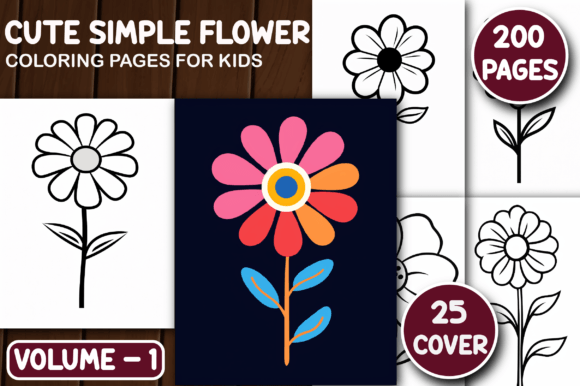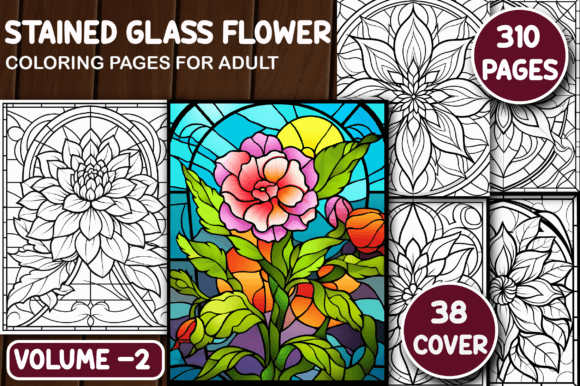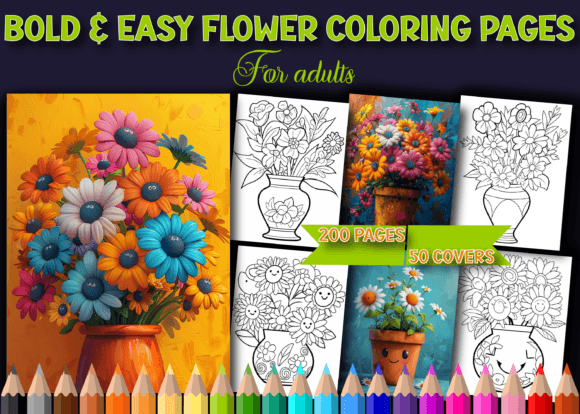
200 Bold Easy Flower Coloring Pages
If you're looking for coloring pages that deliver clarity, calm, and creative flexibility—without the frustration of thin lines or overly intricate designs—you’ll appreciate what 200 Bold Easy Flower Coloring Pages offers. These aren’t just floral outlines; they’re thoughtfully crafted, high-contrast line art designed specifically for adults who want stress relief, artistic expression, or a reliable resource for professional use—whether that’s for print-on-demand, classroom activities, therapy tools, or personal mindfulness practice.
Why “Bold” and “Easy” Matter More Than You Might Think
Many coloring books promise simplicity—but fall short in execution. Thin, broken, or inconsistent line weights make coloring tedious, especially with markers or gel pens. Faint outlines bleed, fade, or disappear under shading. That’s where 200 Bold Easy Flower Coloring Pages stands apart: every design uses clean, confident 3–4 pt black lines at true 300 DPI resolution. The boldness isn’t about heaviness—it’s about reliability. It means your colored version stays legible, your scanned work retains crisp edges, and your printed book looks polished, not pixelated.
A Common Mistake: Assuming “Print-Ready” Means “Plug-and-Play”
Not all “print-ready” files behave the same way in real-world workflows. Some sellers label low-resolution JPEGs as “300 DPI” when they’re actually upscaled—and that becomes obvious the moment you zoom in or enlarge for A4 or 8.5×11″ printing. Others include only one file type (say, just PDF), limiting flexibility for KDP formatting, social media previews, or layered editing in Photoshop or Canva.
With 200 Bold Easy Flower Coloring Pages, you get three complementary formats—PDF, JPG, and PNG—each at authentic 300 DPI. That means:
- The PDF is pre-sized to A4 and US Letter (8.5×11″) with bleed-safe margins—ideal for direct KDP upload without resizing errors;
- The JPGs load fast and preview cleanly across devices, great for quick client samples or blog thumbnails;
- The PNGs have transparent backgrounds, letting you overlay flowers on custom textures, add watermarks, or composite into marketing visuals without white-box artifacts.
Skipping format variety can cost time later—like re-exporting 200 images individually or troubleshooting blurry KDP proofs because your PDF wasn’t truly print-optimized.
Overlooking the Cover Files—And Why It Slows You Down
It’s easy to focus only on interior pages—until you realize you need compelling, cohesive cover art. Many creators assume they can quickly generate covers from interior images. But cropping a single flower design often sacrifices balance, typography space, or visual hierarchy. Worse, low-res source files stretch awkwardly when enlarged for cover dimensions.
This package includes 50 ready-to-use book cover images, also at 300 DPI, sized for standard paperback and eBook dimensions. They’re intentionally versatile—minimalist enough for wellness branding, elegant enough for gift editions, and scalable without quality loss. You can adjust contrast, add title text, or blend with gradients—all without starting from scratch.
Another Hidden Pitfall: Ignoring File Structure and Naming
Even high-quality files become inefficient if they’re disorganized. Imagine downloading 200 PNGs named “flower_1.png”, “flower_2.png”, up to “flower_200.png”—with no visual reference or category tags. Sorting by theme (roses, daisies, botanical borders), complexity level, or symmetry type becomes guesswork. That slows down selection for themed bundles, seasonal promotions, or classroom differentiation.
While this set doesn’t auto-categorize, its consistent naming and uniform sizing mean you can batch-rename intelligently using tools like Adobe Bridge or Bulk Rename Utility. Pro tip: Create folders like /covers/, /interiors/bold-floral/, and /interiors/simple-line/ before importing—even if all files are flat. It pays off the first time you need to pull ten tulip-themed pages for a spring newsletter.
What to Check Before You Use or Resell
Before uploading to KDP, embedding in a course, or offering as a digital download, verify these three things:
- Line weight consistency: Open 5–10 random JPGs in zoom mode (200%+). Do all outlines hold sharpness? Are there stray pixels or anti-aliased fuzziness? With 200 Bold Easy Flower Coloring Pages, lines remain solid and uniform—no smoothing artifacts that interfere with coloring precision.
- Color mode and background: Confirm all JPGs and PNGs are in RGB (not CMYK) and have pure white or transparent backgrounds. This avoids unexpected grayish casts in digital previews or unintended ink coverage in print.
- KDP compatibility: Upload one test PDF to KDP’s previewer. Does the spine width calculate correctly? Do margins align with their guidelines? Because this PDF is built to A4/US Letter specs—including correct bleed and safe zones—it passes validation on first try.
Realistic Use Cases—Beyond Just “Coloring”
These pages serve well beyond leisure coloring. Educators use them to teach botany terms alongside illustration. Therapists integrate them into grounding exercises—bold lines support motor control and reduce visual fatigue for neurodivergent clients. Bloggers embed high-res JPGs in tutorials (“How to Shade Petals with Colored Pencils”) without copyright concerns. Freelancers build custom floral journals for clients—mixing 10 interior pages with 2 cover options and a branded intro sheet.
One small business owner used 15 of the PNGs to create Instagram Story templates—layering quotes over transparent florals, then exporting as MP4s. Another combined 30 designs with editable Canva text boxes to sell printable “Flower Journal Kits” on Etsy. The key? Starting with assets that don’t require cleanup, redrawing, or resolution rescue.
Better Choices Start With Clear Expectations
You don’t need more pages—you need better-aligned pages. Not every floral coloring set supports markers, digital styluses, classroom photocopying, or commercial resale equally. 200 Bold Easy Flower Coloring Pages was built with those dual-use realities in mind: bold enough for confident coloring, simple enough for beginners, and technically sound for professionals who value time, quality, and scalability.
If your goal is to create something meaningful—whether it’s a self-published book, a calming resource for your students, or a standout product in a crowded digital marketplace—start with files that respect your intent. That means checking resolution authenticity, format versatility, cover readiness, and real-world usability—not just counting pages.